100 Procreate Oil Paint Brushes: What You Need to Know Before You Buy
Understanding the Value of 100 Procreate Oil Paint Brushes
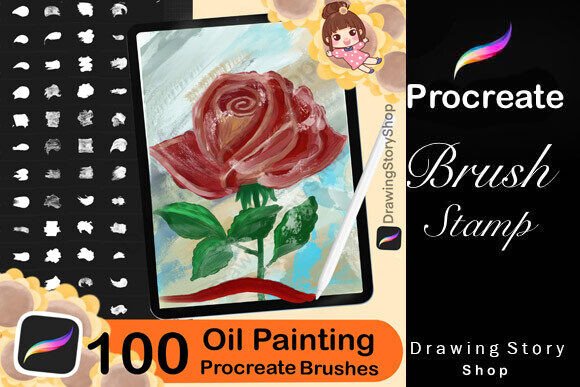
For digital artists, illustrators, and creative entrepreneurs, the 100 Procreate Oil Paint Brushes offer a powerful toolkit for creating rich, textured artwork directly on an iPad. With a total of 108 brushes split into two main categories—53 thick oil paint brushes and 55 oil paint brushes designed specifically for Procreate—the set delivers a wide range of painterly effects. From realistic oil textures to impasto strokes and abstract painterly styles, these brushes can elevate your digital art to a more tactile, expressive level.
Whether you're a beginner exploring digital painting or a professional looking to refine your workflow, the versatility of these brushes makes them a compelling choice. But like any creative tool, they come with nuances that, if overlooked, can lead to frustration or subpar results.
1. Assuming All Oil Brushes Work the Same Way
One of the most common misunderstandings is that all oil paint brushes in the set perform identically. In reality, each brush in the 100 Procreate Oil Paint Brushes collection serves a distinct purpose. Some are designed for heavy texture and impasto effects, while others mimic the smooth blending of traditional oil paints.
Impact: Using the wrong brush for your intended effect can lead to muddy textures, inconsistent strokes, or wasted time trying to force a brush to behave unnaturally.
Solution: Take time to test each brush. Create a sample swatch page to see how each one lays down color, blends, and builds texture. This small investment in learning pays off in faster, more intentional results later.
2. Skipping the Import Instructions
Many users jump straight into using the brushes without reading the included PDF guide on how to import brushes into Procreate. While the process is straightforward, small steps—like ensuring the correct brush library is open or knowing how to organize imported brushes—can be easily missed.
Impact: Misimported brushes may not appear in your palette, leading to confusion and unnecessary troubleshooting.
Solution: Read the PDF guide before importing. It typically includes screenshots and step-by-step instructions tailored to the latest Procreate version, saving you time and ensuring everything works smoothly from the start.
3. Overlooking Brush Settings
Each brush in the 100 Procreate Oil Paint Brushes set comes with pre-configured settings, but these can often be adjusted to suit your personal style. Many users fail to explore the settings panel, missing out on opportunities to fine-tune pressure sensitivity, grain, scattering, and opacity.
Impact: Artists may feel the brushes don’t perform as expected, when in fact, a small tweak could make a big difference in realism and control.
Solution: Customize brush settings to match your pressure sensitivity and preferred stroke style. Experiment with grain intensity for more texture or reduce scattering if you want cleaner strokes.
4. Misunderstanding Usage Rights
Another frequent oversight is not fully understanding the permitted use of these brushes. While you're allowed to use them in your artwork for personal and commercial purposes—including selling digital prints, stickers, and social media graphics—you cannot redistribute or resell the brushes themselves.
Impact: Accidentally violating the license terms can lead to legal issues or removal of your content from marketplaces or social platforms.
Solution: Always read the usage agreement. If you're planning to sell digital products, ensure you're only using the brushes as part of your original artwork, not repackaging them for resale.
How to Get the Most Out of 100 Procreate Oil Paint Brushes
To truly benefit from this brush set, consider these practical steps:
- Organize your brushes: After importing, create a dedicated brush group for the 100 Procreate Oil Paint Brushes to keep them separate from your default brushes.
- Use layers effectively: Oil paint effects often benefit from layering. Try using a base layer for underpainting and a top layer for thick strokes to simulate real impasto techniques.
- Pair with blending brushes: The oil brushes are excellent for texture, but pairing them with soft blending brushes helps create depth and realism.
- Test on different canvases: The texture and grain of your canvas can dramatically affect how the oil brushes look. Experiment with canvas settings to enhance realism.
What to Check Before Buying or Using 100 Procreate Oil Paint Brushes
Before making a purchase or diving into use, verify the following:
- Compatibility: Ensure the brushes are compatible with your version of Procreate. Newer brush features may not work properly on older app versions.
- Download process: Confirm that the seller provides a clear download link and instructions. Some users have reported issues with broken links or unclear steps.
- Brush variety: Review the included brush list to make sure the set includes the types of brushes you need—thick impasto strokes, smooth blends, abstract textures, etc.
- Support and updates: Check if the creator offers customer support or future updates to the brush set.
Realistic Expectations for Digital Oil Painting
While the 100 Procreate Oil Paint Brushes offer a highly realistic digital oil painting experience, it’s important to understand that digital tools will never perfectly replicate physical mediums. However, with the right approach, you can achieve a look and feel that closely mimics traditional oil painting.
For example, instead of trying to recreate every brushstroke exactly like a real brush, embrace the digital advantages—like undoing mistakes, adjusting colors non-destructively, and layering effects without waiting for paint to dry.
If you're transitioning from traditional oil painting, start by replicating your favorite techniques digitally. If you're new to oil effects, explore tutorials or brush previews to understand how each brush behaves.
Final Thoughts
The 100 Procreate Oil Paint Brushes offer a robust and flexible toolkit for digital artists seeking to add depth, texture, and realism to their work. By avoiding common mistakes—like misusing brushes, skipping instructions, or misunderstanding license terms—you can make the most of this powerful set.
Take the time to explore each brush, customize settings, and understand the usage rights. With a thoughtful approach, you’ll not only enhance your digital art but also streamline your creative workflow and avoid unnecessary frustrations.