50 Procreate Brush Strokes Stamp Brushes for Realistic Digital Art
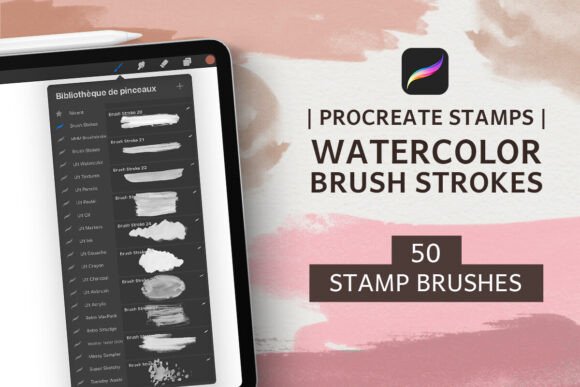
If you're a digital artist or designer using Procreate, the 50 Procreate Brush Strokes Stamp Brushes offer a fresh way to bring authentic, hand-painted textures into your work. These brushes are crafted from real watercolor splashes, abstract shapes, and splotches, giving your designs a tactile, organic feel that stands out from standard digital effects. Whether you're creating social media content, wedding invitations, or editorial illustrations, this brush set adds a touch of realism and artistic depth.
How These Stamps Bring Authenticity to Your Digital Work
Each of the 50 brush stroke stamps is derived from real watercolor textures. This means when you apply them in your Procreate projects, you’re not just layering a digital effect—you're embedding actual hand-painted character into your compositions. The result is a more natural, expressive look that mimics traditional media without the mess.
These stamps are designed to overlay seamlessly, allowing you to build depth and complexity. If you want to make a stamp appear more solid, simply duplicate the layer and adjust opacity. Since they're pressure-sensitive with the Apple Pencil, you can control how softly or boldly each stamp appears, giving you fine-tuned artistic control.
Ideal Uses Across Creative and Commercial Projects
This brush set is especially valuable for designers who want to blend digital efficiency with the warmth of analog textures. Here are some practical applications:
- Social media posts and Instagram stories – Add organic movement and visual interest to your digital content.
- Wedding invitations and stationery – Use the soft watercolor splotches and abstract shapes to create elegant, handcrafted designs.
- Abstract paintings and digital art – Layer stamps to build texture and dimension in your artwork.
- Journaling and personal art – Enhance your digital journal pages with painterly backgrounds and accents.
- Title backgrounds and editorial design – Use the brush strokes as a base layer to give your typography more visual context.
Because the stamps are derived from real watercolor textures, they lend a sense of authenticity that’s hard to replicate with standard digital brushes. This makes them particularly useful in branding and packaging design where a handmade aesthetic is in demand.
Why Realistic Texture Matters in Digital Design
In a world saturated with clean, minimal digital visuals, introducing realistic textures can make your work stand out. The 50 Procreate Brush Strokes Stamp Brushes help bridge the gap between digital precision and artistic imperfection. They bring a human touch to your work, which audiences often perceive as more genuine and thoughtful.
When used strategically, these brush strokes can enhance visual hierarchy by drawing attention to specific areas of a design. For example, layering a subtle watercolor texture behind a headline can make the text pop while adding visual warmth. In branding, consistent use of such textures can help reinforce brand recognition and convey a more artistic, curated identity.
Practical Tips for Using These Stamps Effectively
Here are some hands-on suggestions for getting the most from this brush set:
- Test opacity and layer blending modes – Experiment with different blending modes like Multiply or Overlay to see how the brush strokes interact with your background colors.
- Duplicate layers for solid coverage – If a stamp appears too light, duplicating the layer can give it more presence without losing its natural texture.
- Combine with other brushes – Layer these stamps with other Procreate brushes to create mixed-media effects that feel dynamic and original.
- Use pressure sensitivity creatively – Vary the pressure on your Apple Pencil to create subtle fades or bold strokes, depending on your artistic intent.
- Save your favorite combinations – If you find a layered effect you love, save it as a brush preset for future use.
Also, remember that these stamps are not just for backgrounds. You can use them as decorative elements in illustrations, borders, or even as part of logo concepts when designing for clients who want a more organic, artisanal feel.
Compatibility and Workflow Considerations
The 50 Procreate Brush Strokes Stamp Brushes are compatible with the latest version of Procreate on iPad, making them a seamless addition to your existing workflow. Because they’re optimized for Apple Pencil pressure sensitivity, they respond intuitively to your touch—whether you're sketching quickly or refining details.
For best results, make sure your Procreate app is up to date and that your iPad supports pressure-sensitive input. These brushes are ideal for both beginners and experienced designers, offering flexibility without a steep learning curve.
Final Thoughts: When to Choose These Stamps Over Standard Brushes
If your goal is to create digital art or design work that feels grounded in real-world materials, the 50 Procreate Watercolor Brush Strokes Stamps are worth adding to your toolkit. They provide a shortcut to achieving complex textures without the unpredictability of physical media. Unlike generic digital brushes, these are rooted in real watercolor techniques, giving your work a sense of craftsmanship.
Whether you're working on a personal project or a client deliverable, integrating these stamps can elevate your visuals and help your work feel more intentional and expressive. And because they’re easy to layer and customize, they fit naturally into both fast-paced design workflows and slower, more deliberate artistic processes.