Metallic Oil Brushes for Procreate: Enhancing Digital Art with Luxurious Texture
For digital artists and illustrators seeking to elevate their work with a touch of realism and opulence, the Metallic Oil Brushes for Procreate offer a compelling solution. This compact yet powerful brush set brings the rich, shimmering qualities of traditional oil painting into the digital space, allowing creators to produce textured, high-end visuals with minimal effort. Whether you're designing branding assets, crafting editorial illustrations, or developing social media content, integrating these brushes into your workflow can enhance both the aesthetic and perceived value of your output.
Understanding the Metallic Oil Brush Set
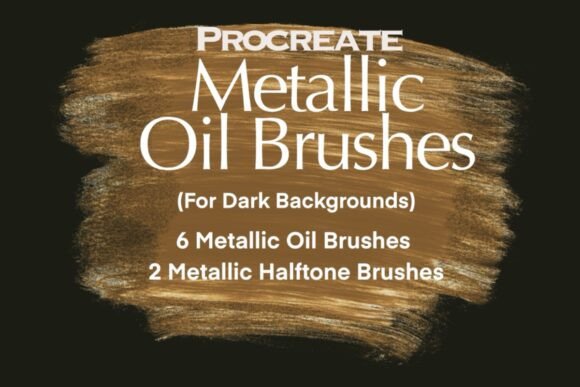
The Metallic Oil Brushes for Procreate pack includes six custom oil brushes designed to mimic the visual and tactile qualities of real oil paint. Each brush delivers a unique texture and shimmer effect, giving artists the ability to layer depth and dimension into their work. In addition, the set includes two halftone metallic brushes that replicate the vintage-style printing textures often seen in retro design and editorial illustration.
These brushes are not just for visual flair—they’re built for practical application. Whether you're adding highlights to a character illustration, creating a textured background for a logo concept, or enhancing a digital painting with metallic accents, these brushes can be used across a wide range of creative projects.
Where They Fit in the Creative Process
In a broader creative workflow, the Metallic Oil Brushes for Procreate serve as a finishing or enhancement tool, often used after the foundational artwork has been completed. They can be applied during the detailing phase to add visual interest or during the final stages to create a polished, high-end finish.
- Pre-Project: Consider how metallic textures will contribute to the overall design. Sketching or planning for where shimmer and texture will be most effective ensures a cohesive final product.
- During Execution: Use the brushes to build up layers, especially when creating depth or focal points in digital paintings or vector-style illustrations.
- Post-Production: Apply halftone brushes to simulate print textures or vintage effects, especially useful for branding elements or editorial visuals.
These brushes are particularly valuable when working on projects that require a tactile or premium feel—think packaging mockups, luxury brand assets, or editorial illustrations that need to stand out.
Integration with Other Tools and Workflows
While the Metallic Oil Brushes for Procreate are designed for use within the Procreate app, they work best when combined with other tools and techniques. Here's how they integrate into a broader creative ecosystem:
- Layer Management: Use separate layers for base color, texture, and highlights. This allows for non-destructive editing and easy adjustments.
- Color Theory: Metallic effects work best on contrasting backgrounds. Test different color combinations to see how the shimmer interacts with the underlying hues.
- Exporting for Use: Once applied, these textures can be exported as part of a final image or saved as overlay textures for use in other design software like Photoshop or Illustrator.
Additionally, the halftone metallic brushes can be layered over text or shapes to create a retro or print-inspired aesthetic, making them ideal for use in vintage branding or packaging design workflows.
Practical Implementation Tips
Getting the most out of the Metallic Oil Brushes for Procreate requires a bit of experimentation, but a few key strategies can streamline the process:
- Start with a Plan: Decide where the metallic effects will serve the design best. Overuse can lead to visual clutter, so use these brushes strategically.
- Use Blending Modes: Try overlay, soft light, or multiply blending modes to enhance the metallic effect without overpowering the original artwork.
- Adjust Opacity: Lowering the opacity of the brush strokes can create a more subtle shimmer, especially when working on delicate illustrations or typography.
- Test on Different Backgrounds: Metallic effects often look different on light versus dark surfaces. Test your brush application on various backgrounds to ensure consistency.
For illustrators, these brushes can be used to simulate the look of gold leaf or metallic paints in character highlights, jewelry, or environmental details. For graphic designers, they can elevate logo mockups, branding assets, or poster designs with a touch of realism and sophistication.
Compatibility and Usability
One of the strengths of the Metallic Oil Brushes for Procreate is their ease of integration into existing Procreate workflows. Installation is straightforward—just import the brush set into the app and they’re ready to use. The brushes are compatible with all versions of Procreate, making them accessible to a wide range of users regardless of device or software version.
Usability is also intuitive. Each brush has been optimized for pressure sensitivity, tilt response, and texture control, allowing for natural and expressive strokes. Whether using an Apple Pencil or another stylus, the brushes respond dynamically to input, giving artists full control over texture intensity and application.
Organizing and Managing Brush Usage
As with any digital asset, organization plays a key role in maintaining efficiency. Here are a few tips for managing these brushes effectively:
- Group by Function: Keep the metallic oil brushes in a dedicated brush set or folder within Procreate for quick access.
- Customize Names: Rename brushes to reflect their intended use (e.g., “Gold Oil Stroke,” “Halftone Silver Highlight”) for easier navigation.
- Backup Regularly: Save a copy of the brush set to cloud storage or external backup to avoid losing custom settings or adjustments.
These habits help streamline the creative process, especially when working on time-sensitive projects or collaborating with other artists who may need to use the same brush set.
Long-Term Use and Consistency
Consistency in texture and application is essential when using metallic effects across multiple projects. To maintain visual cohesion, especially in branding or series-based illustration, consider creating a style guide that outlines how and when to use the Metallic Oil Brushes for Procreate.
Additionally, revisiting and refining brush settings over time can help maintain quality control. As your skills evolve, so too might your preferences for texture density, opacity, or blending effects. Periodically adjusting brush settings ensures your work continues to reflect your current style and standards.
Real-World Use Cases
Here are a few examples of how artists and designers are using the Metallic Oil Brushes for Procreate in real-world scenarios:
- Logo Design: Adding a metallic sheen to a brand mark before presenting it to a client can elevate the perceived value of the design.
- Editorial Illustration: Using halftone brushes to create vintage-style highlights in a magazine cover or article illustration.
- Social Media Assets: Enhancing promotional graphics with shimmer effects to catch attention in a crowded feed.
- Personal Art Projects: Experimenting with texture and light in personal paintings or digital portraits.
Each of these applications shows how the brushes can be adapted to different creative needs while maintaining a high standard of visual quality.
Conclusion
The Metallic Oil Brushes for Procreate offer a versatile and effective way to add depth, realism, and elegance to digital art. Whether used for commercial design, personal illustration, or branding mockups, these brushes integrate smoothly into creative workflows and enhance the visual impact of digital projects. With thoughtful application, proper organization, and strategic planning, they become a valuable asset for any digital artist or designer looking to refine their craft and deliver polished, professional results.